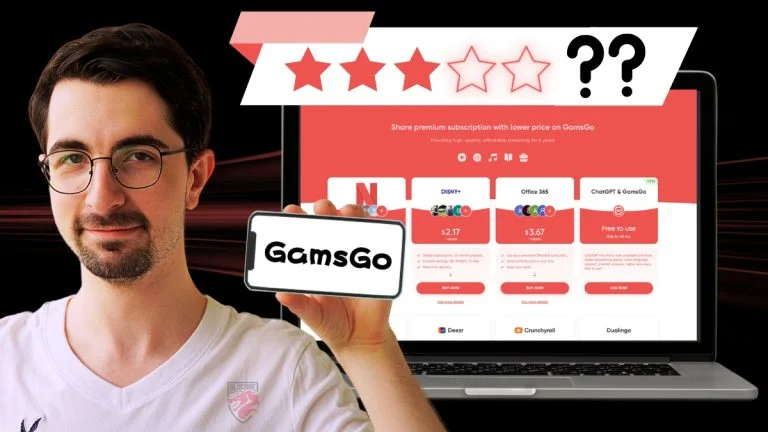
As the cost of streaming services, AI tools, and productivity software continues to increase, many users are searching for affordable ways to access premium subscriptions. GamsGo has emerged as one of the most popular platforms for reducing subscription costs by offering discounted access to a wide range of digital services.
If you’ve never used GamsGo before, this beginner’s guide explains everything you need to know, including how the platform works, what services it offers, how to buy a subscription, and whether it’s worth using in 2026.
What Is GamsGo?
GamsGo is an online platform that helps users access premium digital subscriptions at lower prices. Instead of paying the full subscription fee directly to a service provider, users can purchase discounted subscription plans through GamsGo.
The platform supports many popular services, including:
- ChatGPT Plus
- Netflix
- Spotify Premium
- YouTube Premium
- Disney+
- Canva Pro
- Grammarly Premium
- Microsoft 365
- VPN services
- Other AI and productivity tools
Its primary goal is to make premium subscriptions more affordable for individuals, students, and families.
How Does GamsGo Work?
GamsGo works by offering discounted subscription options for supported services. Depending on the product, the platform may provide:
- Official account recharge services
- Shared family or team subscriptions
- Account activation services
- Discounted subscription renewals
The activation method depends on the service you purchase, so it’s important to read the product description before placing an order.
How to Create a GamsGo Account
Getting started is simple.
Step 1
Visit the official GamsGo website.
Step 2
Click Sign Up.
Step 3
Register using:
- Email address
- Google account
- Apple ID (if available)
Step 4
Verify your account and log in.
Once registered, you can browse all available subscriptions.
How to Buy a Subscription
Buying a subscription through GamsGo takes only a few minutes.
Step 1
Search for the service you want.
For example:
- ChatGPT Plus
- Netflix
- Spotify
- Canva Pro
Step 2
Open the product page.
Review:
- Subscription type
- Duration
- Activation method
- Warranty information
- Delivery time
Step 3
Choose your preferred subscription plan.
Longer plans often provide better value than monthly purchases.
Step 4
Complete payment.
GamsGo supports multiple payment methods depending on your country.
Step 5
Receive activation instructions.
Some products activate directly on your personal account, while others may involve shared subscriptions or account access.
Services Available on GamsGo
GamsGo regularly updates its catalog, but some of the most popular services include:
AI Tools
- ChatGPT Plus
- Claude Pro (availability may vary)
- AI writing tools
- AI productivity software
Streaming Platforms
- Netflix
- Disney+
- YouTube Premium
- Spotify Premium
Productivity Apps
- Canva Pro
- Grammarly Premium
- Microsoft 365
VPN Services
- Various premium VPN subscriptions
The list may change as new products are added or removed.
Why Is GamsGo Cheaper?
Many users wonder why GamsGo prices are lower than official subscription costs.
Depending on the product, discounts may come from:
- Family subscription plans
- Team plans
- Bulk purchasing
- Official recharge partnerships
- Regional pricing opportunities
The exact pricing model varies by service.
Is GamsGo Safe?
GamsGo uses encrypted website connections and secure payment methods for purchases.
However, users should always:
- Read the product description carefully.
- Understand whether the product is a personal subscription or a shared subscription.
- Review the warranty policy.
- Keep sensitive personal information out of shared accounts.
Choosing products that activate on your own account generally provides greater privacy.
Warranty and Customer Support
One advantage of GamsGo is that many eligible products include warranty coverage.
If an eligible subscription stops working during the warranty period, users can contact customer support for assistance.
Support is typically available through:
- Live Chat
Response times may vary depending on demand.
Pros of Using GamsGo
- Lower subscription costs
- Large selection of digital services
- Easy registration process
- Fast activation for many products
- Multiple payment options
- Warranty available on eligible subscriptions
- Beginner-friendly website
Cons of Using GamsGo
- Product availability changes regularly
- Some subscriptions are shared accounts
- Support response times can vary
- Activation methods differ between services
Tips for First-Time Users
Before buying any subscription, remember these tips:
- Always read the complete product description.
- Check whether the subscription works on your own account.
- Compare different subscription durations.
- Read the warranty policy.
- Save your purchase confirmation.
- Contact customer support immediately if you experience activation issues.
Who Should Use GamsGo?
GamsGo is a good choice for:
- Students
- Families
- Budget-conscious users
- Streaming enthusiasts
- AI tool users
- Freelancers
- Casual users looking to reduce subscription costs
Users who require uninterrupted business-critical access may prefer purchasing subscriptions directly from the official provider.
Final Verdict
GamsGo has become a popular platform for users who want affordable access to premium digital subscriptions. Its simple interface, wide range of supported services, competitive pricing, and beginner-friendly purchasing process make it an attractive option for many users.
Before making a purchase, carefully review the product details, activation method, and warranty information. Understanding how each subscription works will help you choose the option that best suits your needs and ensure a smoother experience.
Whether you’re subscribing to ChatGPT Plus, Netflix, Spotify, Canva Pro, or other premium services, GamsGo can be a practical way to save money while enjoying the features you need.
About the Author